Slay or Nay AI Fashion Judges Coins, Ribbons, and Runway Rewards
How Pop Studio Games pays out progress—and how to spend without wasting a SLAY.
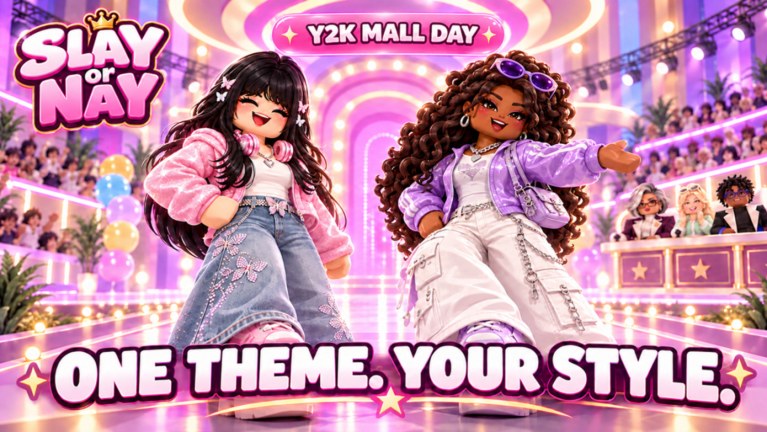
Coins and ribbons are the soft-currency spine of Slay or Nay AI Fashion Judges. Every show still centres on a four-minute styling sprint and a runway verdict from Vera, Cleo, and Jett, but placements and strong feedback also feed a progression loop: earn currency, unlock presentation options, buy catalog pieces, and save winners in the Looks Book. This guide explains how to earn efficiently, what to buy first, and how rewards connect to the rest of the wiki.
New players should skim Getting Started before obsessing over payouts. Scoring depth lives in Impress the Judges. Save discipline is covered in the Looks Book Guide. Walk unlocks and post-show shopping flow sit on Runway Walks. Hub-level progression notes are on the Players Hub.
What you earn from a show
Successful rounds and strong placements award coins and ribbons. Exact numbers can change after patches—Pop Studio Games shipped measurable player spikes around late-November 2026 updates—so treat payouts as living values and re-check Updates after major drops. The design intent stays stable:
- Play the theme well → earn soft currency.
- Climb podium and audience favourite moments → earn recognition plus resources.
- Spend on pieces and unlocks that make the next four minutes easier.
Ribbons double as social proof inside the six-model lobby. They help you remember which looks actually converted under the AI panel instead of which looks only felt cute offline.
How to raise your earn rate
Currency follows performance. The fastest earn loop is also the best fashion loop:
- Read the theme keywords before you open every shelf (Themes and Outfits).
- Satisfy Vera with a readable silhouette.
- Keep Cleo happy with a coherent palette.
- Give Jett one bold statement piece early.
- Present a clean walk or pose (Runway Walks).
- Save the win (Looks Book) so the next related theme pays out faster.
Farming random unfinished looks yields weaker coins and weaker skills. Consistency across many shows beats one lucky five-star night followed by chaotic spending.
What to buy first
After the runway you can purchase catalog pieces you wore or admired. Prioritise purchases that appear in multiple future themes:
- Neutral bases — black, white, soft metallics that support many briefs.
- Reusable statement items — capes, structured gowns, crystal jewelry that repeatedly please Jett.
- Colour anchors — pieces that lock a palette so Cleo stays calm.
- Walk and pose unlocks — presentation options that sell an already-strong outfit.
Deprioritise:
- One-off joke props tied to a single meme theme.
- Neon stacks that only worked once and hurt colour harmony elsewhere.
- Duplicate near-identical gowns when one Looks Book formal already wins.
Map spending to the S-tier habits on the Tier List Hub so every coin compounds.
Ribbons, podium, and audience favourite
Podium nights and audience favourite callouts are more than flex moments. They signal which silhouettes the lobby and the AI both understood at a glance. When you earn those marks:
- Save the outfit immediately.
- Note which judge comments were strongest.
- Buy only the pieces that made the silhouette readable.
- Vote thoughtfully on the next theme—advance warning is free value in a six-model show.
If you keep missing audience favourite, your theme read is probably muddy. Return to Impress the Judges before buying more accessories.
Codes versus earned rewards
Promo codes—when they exist—are optional accelerators. As of late November 2026 this wiki still lists no verified public codes for Slay or Nay AI Fashion Judges on the Codes Hub. Do not buy “code packs” from strangers, and never share your password with redeem helpers. Earned coins from clean shows remain the reliable path.
Shady tooling that promises free unlimited currency is covered with warnings on the Scripts Hub. Account bans cost more than any ribbon streak.
Patch awareness and payout changes
Late November 2026 updates correlated with higher concurrent players and visit growth into the multi-million range. After any patch:
- Run one low-pressure show to relearn UI labels.
- Confirm coin and ribbon toasts still match your expectations.
- Re-test a Looks Book winner against a fresh theme.
- Skim Updates before rewriting your spend plan.
Economy tuning can quietly change which purchases feel worth it. Stay flexible.
A simple weekly spend plan
- Complete at least five shows with a judge-focused goal (Vera week, Cleo week, or Jett week).
- Save every clear SLAY.
- Spend coins only on pieces that appear in two or more saved looks—or on a walk unlock you will actually use.
- Leave a buffer for the next patch’s must-have statement item.
- Review the Players Hub checklist if progression feels stuck.
Common reward mistakes
- Impulse-buying every neon extra from a Rainbow round.
- Ignoring Looks Book saves and rebuying the same silhouette later.
- Chasing codes instead of finishing shows.
- Unlocking walks you never equip.
- Spending after a NAY without reading judge notes first.
Coins and ribbons reward models who treat fashion night as a craft. Earn with readable looks, spend on reusable tools, and let every podium night fund the next SLAY.
Frequently Asked Questions
Quick answers for runway nights and judge scores.
How do I earn coins in Slay or Nay AI Fashion Judges?
Finish shows with strong placements and judge feedback. Readable theme, colour, and statement looks convert into soft currency more reliably than random unfinished outfits.
What should I buy with coins first?
Neutral bases, reusable statement pieces, colour anchors, and walk or pose unlocks you will actually equip. Skip one-off joke props.
Are there promo codes for free coins?
Only when Pop Studio Games publishes verified strings. Check the Codes Hub—we do not invent placeholders.
Do ribbons matter for progression?
Ribbons mark strong nights and help you remember which looks converted. Pair them with Looks Book saves and smart catalog purchases.
Can updates change payouts?
Yes. After patches, re-check Updates and run one test show before rewriting your spend plan.